
Phone case template: paper insert, sublimation or mockup?
Short answer: a “phone case template” can be a paper insert you print at home and slide behind a clear case, a sublimation template for printing onto a coated blank case with a heat press, or a mockup that shows a design on a case for an online shop. Only the first needs just a printer and scissors. PhoneCaseInserts makes the first kind.
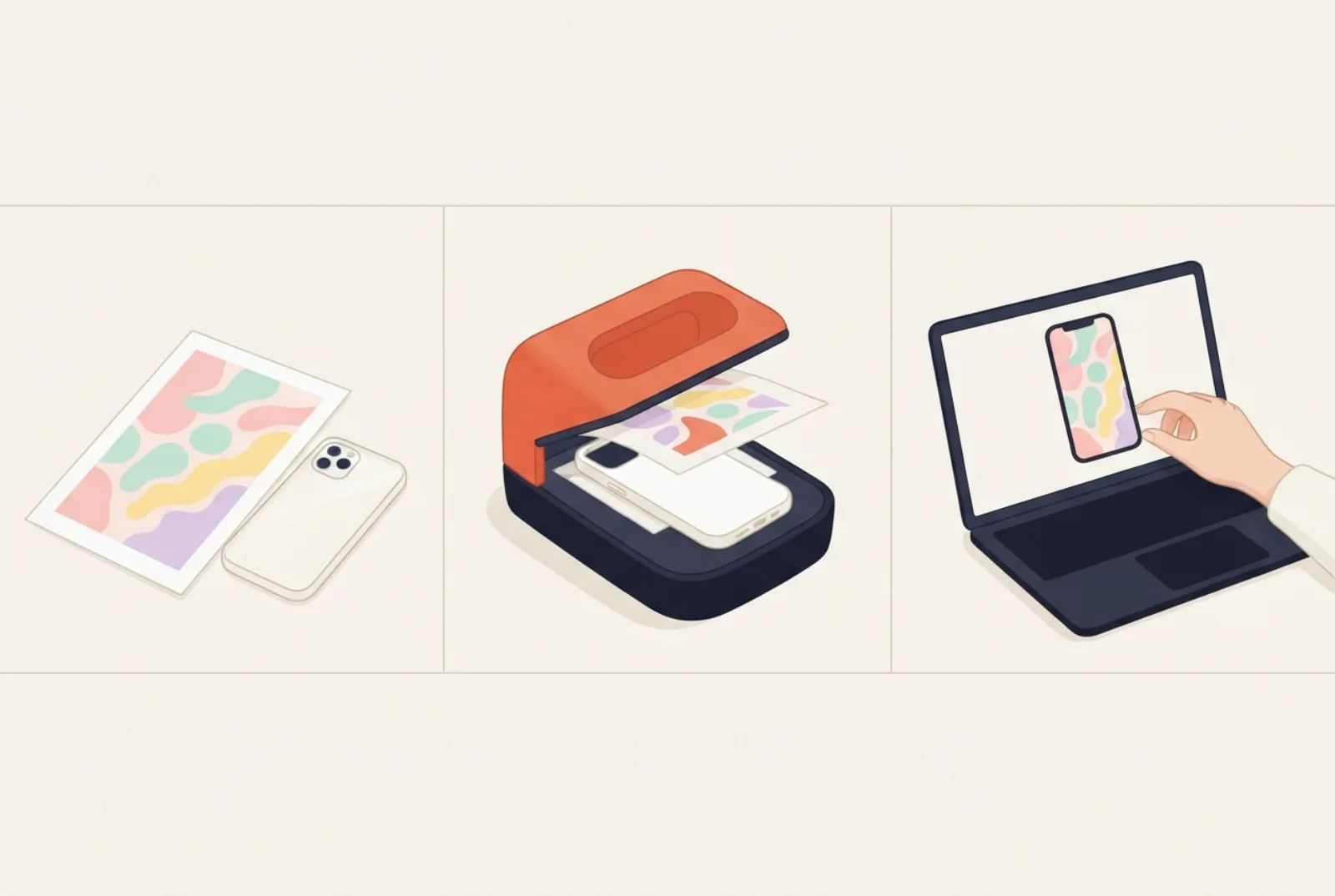
- Paper insert: print, cut, slide in. Swappable. Needs a printer and a clear case.
- Sublimation: dye is heated into a polyester-coated blank. Permanent. Needs a sublimation printer, a heat press and blanks.
- Mockup: a picture for a listing. Not a physical item.
- Search results for “phone case template” mix all three, so check what a file is before you download or buy it.
Why the search results are mixed
On 18 October 2026 we searched Google (US, English) for “phone case template” through a search-data service. The first page mixed stock-image sites, mockup tools, print-on-demand pages and Etsy bundles of sublimation and Cricut files. The shopping results showed seven bundles at sale prices from $0.99 to $3.20, several covering dozens of phone models. A free printable paper insert, the first kind below, is something few of those pages offer, and someone who wants one can easily end up on listings for SVG, PSD or DXF files meant for a heat press or a cutting machine. Choosing the right kind first saves money.
The three kinds at a glance
| Type | Paper insert template | Sublimation template | Mockup template |
|---|---|---|---|
| What it is | True-size outline of the back of your phone, printed on paper | A design file shaped for a blank, coated case, usually mirrored (and often with extra bleed) | A picture of a case or phone that you drop a design onto to preview it |
| You need | A printer, paper, scissors, a clear case | A sublimation printer and ink, transfer paper, a heat press, coated blank cases | Design software or an online mockup tool |
| Result | A swappable paper insert behind a clear case | A design printed into the case surface | An image for a shop listing or social post |
| Change it later? | Yes, in a minute | No, it is part of the case | Not applicable |
| Best for | Photos, kids’ projects, trying many looks | Making cases to keep or sell | Selling cases online |
How each one is made
Sublimation in a little more detail
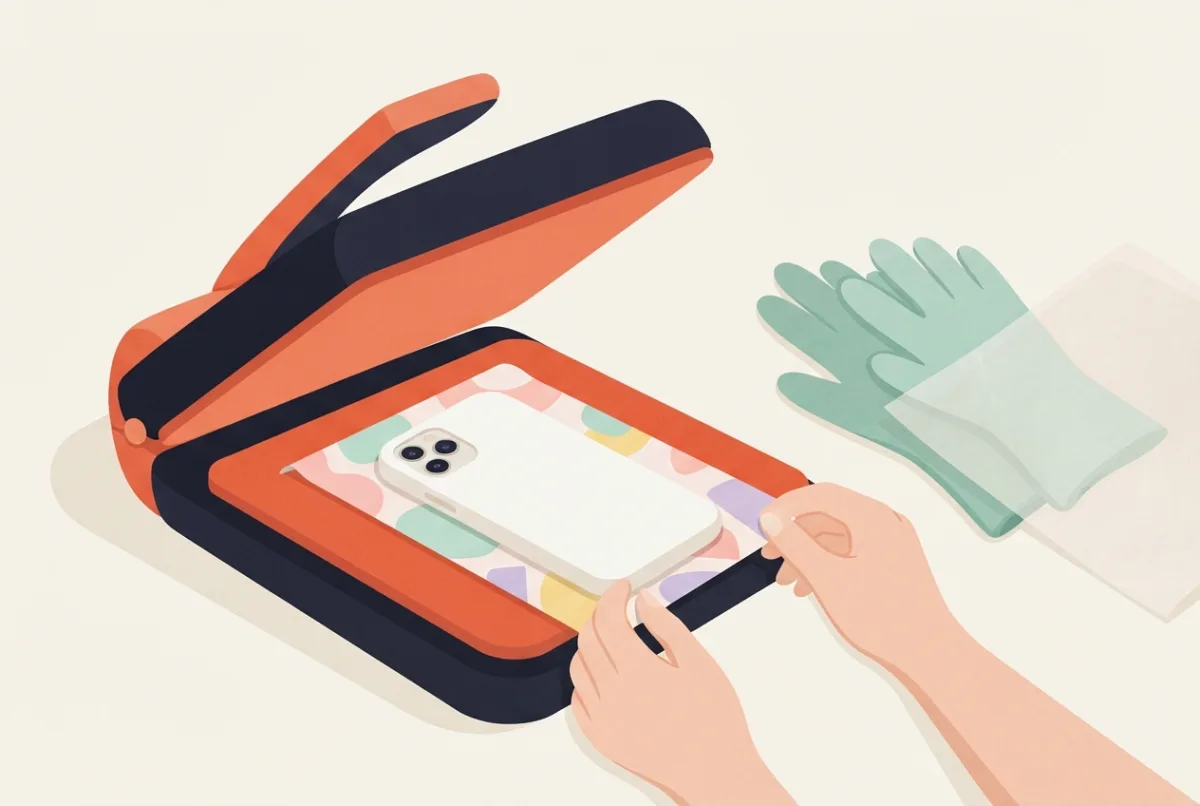
Sublimation turns dye into gas under heat so it bonds into a polyester coating. One phone-case guide lists a sublimation printer, transfer paper, a heat press and heat-resistant tape, and says to use polyester-coated polycarbonate blanks, to flip the design horizontally before printing, and to press at roughly 190 to 205 °C (375 to 400 °F) for about 50 to 70 seconds. Silicone, leather and uncoated cases do not take the dye, and because the ink is transparent the blank should be white or light. (Printable Press.) A blank maker’s own numbers are always the ones to follow.
Mockups
A mockup is a picture. Online sellers use mockups to show a design on a phone case before they make or ship one. It is not a printable file and it will not fit a real case.
What sublimation actually needs
Sublimation is a heat transfer. Wikipedia describes it as a printing method where a mirror-image design is inkjet-printed onto special transfer paper and a heat press then moves the dye onto the target item, which must be polyester or polymer-coated. It adds that the dyes activate around 175 °C (350 °F), and that about 195 to 215 °C (380 to 420 °F) is recommended for best colour. (Wikipedia: Dye-sublimation printer.) A guide for phone-case sellers gives a similar recipe: a press at about 385 °F for 60 seconds on a polyester-coated case blank. (Printable Press.)
What it costs to start
One seller-focused guide gives budget, mid and professional tiers for starting a sublimation phone-case business. These are that guide’s estimates, from a site that sells to this market, and prices vary, so treat them as a rough order of magnitude.
| Item | Budget tier | Mid tier |
|---|---|---|
| Sublimation printer | about $200 | about $500 |
| Heat press | about $80 | about $150 |
| Transfer paper, 100 sheets | $10 to $15 | $15 to $25 |
| Case blank, each | $2.50 to $4.00 | $1.75 to $3.00 |
| Start-up total (guide’s estimate) | about $350 to $450 | about $700 to $900 |
A paper insert needs the printer you probably already own and a sheet of paper. If you want to try sublimation later, the paper insert is a cheap way to test designs first.
Mistakes that only matter for sublimation
The same guide lists common errors. Notice that none of them can happen with a paper insert, which is why a paper insert is the easier first project.
| Mistake (sublimation) | Result | Paper insert? |
|---|---|---|
| Using normal inkjet ink instead of sublimation ink | The design does not transfer | Normal ink is what you use |
| Forgetting to mirror the design | The picture comes out backwards | No mirroring needed |
| Using silicone, leather or dark blanks | The dye does not take | Any clear case works |
| Pressing without a mould | Blurry or missing edges | No press at all |
| Letting the printer sit unused | Clogged print heads | An ordinary printer is more forgiving |
The mistakes are from the Printable Press guide. The right-hand column is our comparison with a paper insert.
Which do you need?
- You have a clear phone case and a printer: a paper insert template. Pick your phone in the insert maker or on the templates page.
- You own a heat press and coated blanks: a sublimation template for your exact blank, from the blank’s maker. The press runs at about 190 to 205 °C, so follow its safety instructions. The blank can differ from the phone’s size.
- You sell phone cases online: mockups for listings, plus a sublimation or print-on-demand process.
- You have a cutting machine (Cricut, Silhouette): download the PDF from the maker and import it as a print-then-cut image and check that the size is 100% before cutting. We have not tested Cricut or Silhouette, so do a plain-paper test cut first.
Buying a template bundle: what to check
- The listing says paper insert or printable if you want paper, and says sublimation if you need a heat press file.
- Your exact phone model is listed.
- The file types are ones you can open: PDF and PNG print easily; SVG, DXF and PSD need design or cutting software.
- The licence allows what you plan to do. Read the licence: terms vary, and some forbid sharing or reselling the files.
- The price makes sense. In our October 2026 check, bundles of dozens of models cost about $1 to $3, so free printable templates and small bundles compete directly.
What a paper insert template includes
The width and height of the back of the phone, the corner radius and the camera cutout position, drawn at true size on A4 or US Letter. Each model template shows the numbers in millimetres and inches. If your case window is smaller, use the Fit setting; if your phone is missing, measure the case and enter a custom size. New to inserts? Start with how to make a phone case insert.
Questions
Can I use a paper insert template for sublimation?
Not directly. Sublimation needs a design shaped for the specific blank, usually mirrored and with bleed. Use the template from the blank’s maker.
Is a paper insert as good as a printed case?
It is a different thing. A sublimated case is permanent. A paper insert is cheaper, swappable and takes minutes. You can change it whenever you like, for example with the seasons.
Can I print a sublimation design on paper and use it as an insert?
You can print any picture on paper and cut it to size, but a file made for sublimation is mirrored and shaped for a blank, so you would need to flip it and resize it. It is easier to start from a paper insert template.
What if I only want a quick preview?
Use the insert maker: it shows your design in a phone case outline at true size, with the camera window, before you print.
Do I need to mirror a paper insert?
No. You slide a paper insert in with the printed side facing out toward the clear back, so the picture reads the right way round. Mirroring is a sublimation step, because the transfer reverses the image.
Are your templates free?
Yes, free for personal use. See the terms for commercial use.
Sources
- Printable Press: How to sublimate on phone cases (equipment, blanks, mirroring, temperature and time).
- Wikipedia: Dye-sublimation printer (transfer printing, polyester or polymer-coated materials, activation and recommended temperatures).
- Our own check: Google US English results and shopping listings for “phone case template”, run through a search-data service on 18 October 2026 (kinds of result; seven bundle listings at $0.99 to $3.20).
Find the template for your phone
Every guide works best with a true-size template for your exact model: iPhone templates, Samsung Galaxy templates, Google Pixel templates, iPad templates, or all phone models. Then open the insert maker to print it.
More guides
Printable vs bought phone case inserts
Free printable or bought insert: price, fit and quality.
iPhone size comparison: 34 models, 7 drawn to scale
iPhone sizes from the X to the 17 Pro Max, with seven drawn to scale.
Design your own phone case insert: free, print at home
Design a phone case in minutes: make an insert for a clear case you already own.